1. Various boards (video card, sound card, network card, etc.)
The board should be protected from dust, the pins should be in good condition, the board should not be deformed when inserted vertically, and the connectors on the sockets outside the board should not be plugged or inserted under power.
2. Chassis
The chassis includes industrial control power supply, passive backplane and fan. Industrial control power supply: It serves for N hours of uninterrupted machine disconnection, with good performance. The main attention is to reduce the entry of dust and prevent dust from affecting the operation of the fan. In order to prevent instantaneous power outages, instantaneous power outages and sudden incoming calls often produce very high voltages in an instant, which is likely to burn the computer, and voltage fluctuations will also cause damage to the computer. Therefore, we should try our best to equip the power supply. In addition, we should also prevent static electricity and lightning strikes.
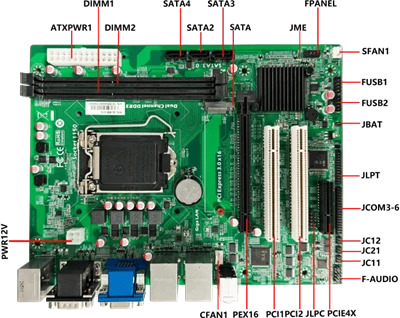
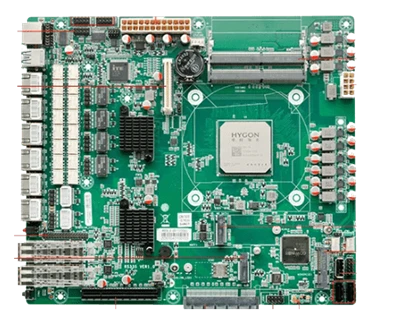
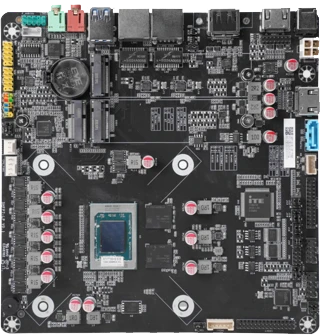
3. The motherboard (card) industrial computer motherboard is designed for long-term use in special high and low temperature environments. It should be noted in the application that it cannot be plugged in with electricity, and the live plug will cause the jack to be damaged, unusable, or even If the motherboard is damaged, the jumper on the motherboard cannot be jumped at will. Check the manual or user manual, otherwise it will be damaged due to the different voltage settings of different types of motherboards.
The dust on the motherboard should be cleaned regularly, not with alcohol or water, and dry brushes, vacuum cleaners or leather tigers should be used to absorb or blow away the dust. Keep the memory on the motherboard cut clean, no broken feet, bent feet. The golden fingers inserted into the passive chassis under the motherboard should be clean, and the golden fingers should be tightly inserted on the bottom plate.
4. Hard disk, optical drive, floppy drive
1) Hard disk: Do not disassemble the hard disk at will to avoid vibration and extrusion. When the hard disk is running, try not to turn off the power of the computer, so as not to turn off the hard disk suddenly, causing damage to the hard disk track and data loss. Do not touch the jumper on the hard drive at will. It must be fixed with anti-static plastic bags or sponges or other shock-proof pressure materials during transportation, and check viruses frequently to prevent corrosion. When the operating system has energy-saving features, we should use it as reasonably as possible to extend the life of the hard disk.
2) Optical drive: Do not open the door of the optical drive at will during use, do not use damaged pirated discs, to prevent dust from entering the optical drive, and the optical drive will not vibrate, deform or beat during use. The data cable should be connected steadily to ensure the smooth reading of the optical drive.
3) Floppy drive: Do not put bad or poisonous disks into the floppy drive, and do not use inferior, moldy floppy disks to prevent head scratches. When reading and writing on a floppy disk, do not forcefully delete the disk to prevent the head from being damaged or shifted, causing read and write errors.