Your Professional Localized Server Supplier
Our goal is to become your true partner in the field of localized server in China. Shenzhen Aiostar Electronics Co.Ltd is a high technology enterprise with R&D, production and marketing in a body. We are highly valued product quality and customer service. The factory has accumulated rich manufacturing experience. Our company is committed to applying advanced manufacturing technology and strict quality control standards to every product. The price is competitive and the product is quality-assured, which is a good choice for your long-term cooperation.
-
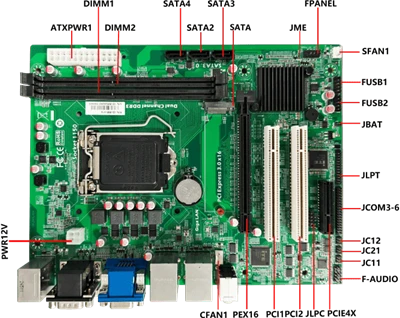
![Feitengrui FT-D2000 Server 8GB DDR4 Server With Independent Graphics Card Server]() Feitengrui FT-D2000 Server 8GB DDR4 Server With Independent Graphics Card ServerAOS-SSD282SCU724USupports 4U rack mounting styleSupport Phytium FT D2000 8-core 2.3G CPUSupports Gigabit LAN port, asynchronous dual display (HDMI+VGA optional)Supports dual-channel DDR4 memory
Feitengrui FT-D2000 Server 8GB DDR4 Server With Independent Graphics Card ServerAOS-SSD282SCU724USupports 4U rack mounting styleSupport Phytium FT D2000 8-core 2.3G CPUSupports Gigabit LAN port, asynchronous dual display (HDMI+VGA optional)Supports dual-channel DDR4 memory -
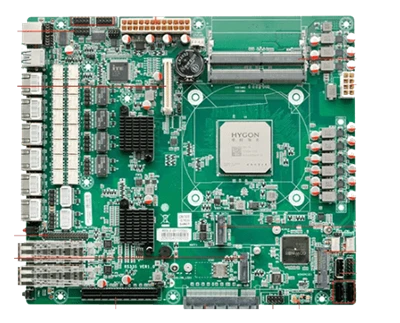
![Haiguang 3230, 3350 Processor Server Graphics Card Jingjiawei 7 USB3.0 Interface Server]() Haiguang 3230, 3350 Processor Server Graphics Card Jingjiawei 7 USB3.0 Interface ServerAOS-SSHG3282S724UDomestic HYGON Industrial ComputerSupport HYGON 3230, 3350 (compatible with HYGON 3) 2.8G/3.0GSupport domestic TCM/TPM2.0 trusted computing module, SMX algorithmSupport Gigabit
Haiguang 3230, 3350 Processor Server Graphics Card Jingjiawei 7 USB3.0 Interface ServerAOS-SSHG3282S724UDomestic HYGON Industrial ComputerSupport HYGON 3230, 3350 (compatible with HYGON 3) 2.8G/3.0GSupport domestic TCM/TPM2.0 trusted computing module, SMX algorithmSupport Gigabit -
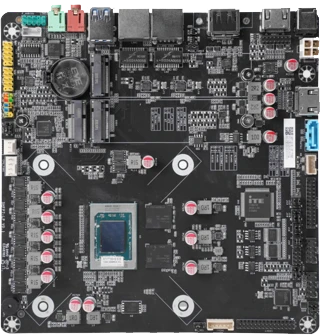
![Megabore KX Processor Server Independent Graphics Card Server]() Megabore KX Processor Server Independent Graphics Card ServerAOS-SSZK6A341SUDomestic chemical industry 4U serverSupport ZhaoxinKX-U6780A/6740A/6640A/6640MA CPUSupport 10 groups of USB (3 groups of USB3.0)Support dual Gigabit Ethernet ports and 6 sets of COM
Megabore KX Processor Server Independent Graphics Card ServerAOS-SSZK6A341SUDomestic chemical industry 4U serverSupport ZhaoxinKX-U6780A/6740A/6640A/6640MA CPUSupport 10 groups of USB (3 groups of USB3.0)Support dual Gigabit Ethernet ports and 6 sets of COM


Why Choose Us
OUR CERTIFICATES:
We hold a CCC certificate.
CUSTOMIZED SOLUTIONS:
We understand that every client's needs are unique, so we offer customized solutions and respond quickly to client requests to meet your specific requirements.
QUALITY CONTROL:
We have professional production workshops and quality inspection equipment (such as constant temperature aging room, constant temperature and humidity test chamber, high and low temperature test machine, rainfall test chamber, vibration table, salt spray test machine, drop test machine, etc).

Advantages of Localized Server
Scalability Levels: Server suppliers allow users to change their dedicated server’s hardware at any moment. You can request extra processing power, storage space, or bandwidth, and the seller will configure the server to meet your needs.
Network Security: One of the best things about having a server is that it makes your network safer. You can provide people’s rights according to the type and amount of data they can access to satisfy their needs by creating separate categories and accounts.
Reliability: When traffic or use increases, using a shared server will primarily decrease performance. High bounce rates and revenue loss are standard results in this scenario.
Centralized Backup: Data loss is expected in the workplace for various reasons, ranging from equipment failure to irresponsibility. These issues can be challenging, especially if the office still needs a server.
Cost-Effective: Renting a server is a cost-effective way to acquire dedicated server benefits if you don’t have an in-house server budget or the required colocation devices.
Specification of Localized Server
|
Processor |
CPU |
Phytium FT-D2000(8-core/2.3GHz/25W) |
|
Chipset |
SOC |
|
|
BIOS |
Centrino, support diskless boot, network wake-up, power-on, watchdog and other functions |
|
|
RAM |
Capacity |
8GB SO-DIMM DDR4 2666MHz memory , Max.32GB |
|
Storage |
SATA interface MINI PCIE M.2 |
2x SATA3.0 1X m.2 PCIE 256G M.2 SSD |
|
Display |
Graphics Output |
JM 7201 2G VGA+HDMI Single Display , Dual Display (Simultaneous/Asynchronous Display) 1 × VGA (Maximum supported resolution: 1920x1080) 1 × HDMI (Maximum supported resolution: 1920x1080) |
|
Internet |
Chip |
2 × 10/100/1000M(RJ45 LAN) |
|
I/O |
|
|
|
Power supply |
Rated power |
AC 220V 400W |
|
Watchdog |
Output Interval |
Interrupt, System Restart 255 Levels Timing Interval |
|
Physical parameters |
Dimensions |
427mm (L) x 306mm (W) x 88.9mm (H) |
|
Environment |
Temperature Humidity |
Operating Temperature: 0°C ~50°C Storage Temperature: -20~70°C 5%~90% Non-condensing |
Equipped with octa-core processor, the main frequency is 2.3GHz, and the power consumption is only 25W. Memory and storage: 8GB SO-DIMM DDR4 2666MHz memory starts and can be expanded to a maximum of 32GB to meet the memory requirements of different scale services. In terms of storage, it is equipped with two SATA3.0 ports, one m.2 PCIE port, and 256G M.2 SSD.
SATA interface can be connected to large-capacity mechanical hard disk or traditional solid state disk to meet long-term data storage requirements; The SSD with the M.2 interface provides high-speed read and write performance, speeding up the running of the system and applications.
Application of Localized Server
Testing Environment:
Developers use local servers to build, run, and test websites or applications in a private, secure environment before deploying them to a live, public server.
01
Isolation for Security Testing:
Critical system configurations or potential security threats can be tested in an isolated local environment without exposing the broader network or live systems to risk.
02
Shared Storage:
A physical local server can act as a central file storage location, allowing multiple users within a business or home network to access and share files and resources efficiently.
03
Offline Work:
It enables continued development and testing even without internet connectivity.
04
Network Testing:
Administrators use the loopback function to test the internal network components and configuration of a computer's TCP/IP stack.
05
Other Service of Localized Server
|
Package |
Box |
|
Shipping |
Air/Sea/Express |
|
Payment |
T/T, Western Union, Paypal (For Sample Fee & Courier cost) |
FAQ
We're well-known as one of the leading localized server manufacturers and suppliers in China. Welcome to wholesale high quality localized server at competitive price from our factory. For customized service, contact us now.
Popular Products