Hey there, tech enthusiasts! As a supplier of super mini desktop computers, I often get asked if these tiny powerhouses can be used for home server setups. Well, you bet they can! In this blog post, I'm gonna break down all the ins and outs of using a super mini desktop computer for your home server needs.
First off, let's talk about what a home server is and why you might want one. A home server is basically a computer that stores and shares data within your home network. It can be used for things like storing media files (movies, music, photos), backing up important data, running a web server for your personal website, or even hosting a gaming server for you and your friends. Having a home server gives you more control over your data and can save you a ton of money on cloud storage.
Now, the big question: can a super mini desktop computer handle all these tasks? The short answer is yes, but it depends on a few factors.
Performance and Hardware
One of the main concerns when setting up a home server is performance. You need a computer that can handle the workload without slowing down or crashing. Super mini desktop computers come in a variety of configurations, so it's important to choose one with the right hardware for your needs.
For example, if you're just using your home server for basic file storage and sharing, a IntelJ1900//J2900 CPU Small Computer 6 USB MINI Computers might be all you need. These computers are affordable and have enough processing power to handle light server tasks. They usually come with a quad-core Intel processor, 4GB or 8GB of RAM, and a solid-state drive (SSD) for fast data access.
On the other hand, if you're planning to run more resource-intensive applications like a virtual machine or a media streaming server, you'll need a more powerful computer. The 6GEN Core Skylake-U Fanless Aluminum Chassis Mini Computer is a great option for this. It features a 6th generation Intel Core processor, up to 16GB of RAM, and support for high-speed storage devices. The fanless design also means it runs quietly and generates less heat, making it perfect for a home environment.
Storage Capacity
Another important factor to consider is storage capacity. Your home server will need to have enough space to store all your data, so you'll want to choose a computer with ample storage options.
Most super mini desktop computers come with at least one internal storage drive, usually an SSD or a hard disk drive (HDD). You can also expand the storage capacity by adding external hard drives or using network-attached storage (NAS) devices.
If you're planning to store a large amount of media files, I recommend using an HDD with a high capacity. HDDs are more affordable than SSDs and offer more storage space per dollar. However, if you need fast data access, an SSD is the way to go.
Connectivity
Good connectivity is essential for a home server. You'll want to make sure your computer has enough ports to connect all your devices and has a stable network connection.
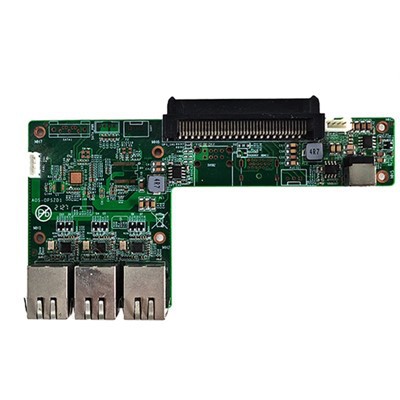
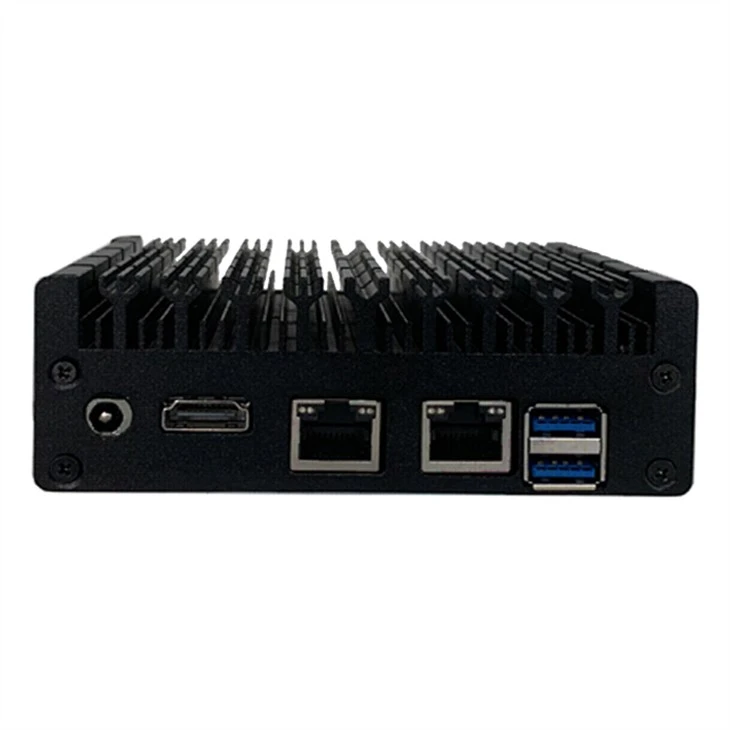
Most super mini desktop computers come with a variety of ports, including USB, HDMI, Ethernet, and audio. You'll need to choose a computer with enough ports for your specific needs. For example, if you're planning to connect multiple external hard drives, you'll need a computer with multiple USB ports.
In terms of network connectivity, Ethernet is the most reliable option for a home server. It offers faster speeds and more stability than Wi-Fi. Make sure your computer has at least one Ethernet port and that your home network has a high-speed internet connection.

Software and Operating System
The software and operating system you choose for your home server will depend on your specific needs and preferences. There are several options available, including Windows Server, Linux-based operating systems like Ubuntu Server or CentOS, and even some specialized home server software.
If you're new to home server setups, I recommend starting with a Linux-based operating system like Ubuntu Server. It's easy to install and use, and there are plenty of online resources available to help you get started. Plus, Linux is open source, which means it's free to use and can be customized to suit your needs.
Advantages of Using a Super Mini Desktop Computer for a Home Server
Now that we've covered the basics, let's talk about some of the advantages of using a super mini desktop computer for a home server.
- Compact Size: Super mini desktop computers are small and lightweight, which means they take up less space in your home. You can easily place them on a shelf or under your desk without taking up too much room.
- Energy Efficiency: These computers are designed to be energy-efficient, which means they use less power than traditional desktop computers. This can save you money on your electricity bills in the long run.
- Quiet Operation: Most super mini desktop computers have a fanless design, which means they run quietly and generate less heat. This is especially important if you're planning to use your home server in a living room or bedroom.
- Affordability: Super mini desktop computers are generally more affordable than traditional desktop computers, which makes them a great option for home users on a budget.
Disadvantages of Using a Super Mini Desktop Computer for a Home Server
Of course, there are also some disadvantages to using a super mini desktop computer for a home server.
- Limited Expandability: Super mini desktop computers usually have limited expandability options, which means you may not be able to upgrade the hardware in the future. This can be a problem if you need to increase the storage capacity or processing power of your home server.
- Lower Performance: Compared to traditional desktop computers, super mini desktop computers generally have lower performance. This means they may not be able to handle more resource-intensive applications or tasks.
- Limited Connectivity: Some super mini desktop computers may have limited connectivity options, which means you may need to use additional devices or adapters to connect all your devices.
Conclusion
So, can a super mini desktop computer be used for home server setup? Absolutely! With the right hardware, software, and configuration, a super mini desktop computer can make a great home server. It's compact, energy-efficient, and affordable, making it a great option for home users on a budget.
However, it's important to keep in mind the limitations of these computers. They may not be able to handle more resource-intensive applications or tasks, and they may have limited expandability options. So, before you decide to use a super mini desktop computer for your home server, make sure you carefully consider your needs and requirements.
If you're interested in purchasing a super mini desktop computer for your home server setup, feel free to reach out to me for more information. I'd be happy to help you choose the right computer for your needs and answer any questions you may have. Let's start a conversation and see how we can make your home server dreams a reality!
References
- Kurose, J. F., & Ross, K. W. (2017). Computer Networking: A Top-Down Approach. Pearson.
- Tanenbaum, A. S., & Wetherall, D. J. (2011). Computer Networks. Pearson.