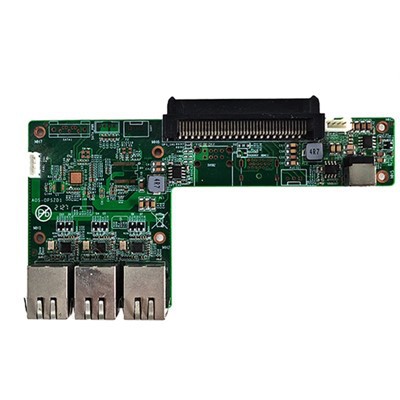
As a supplier of OPS (Open Pluggable Specification) computers, I often receive inquiries about installing machine learning frameworks on these devices. In this blog post, I'll guide you through the process of installing a machine learning framework on an OPS computer, from the initial preparation to the final steps of the installation.
Prerequisites
Before you start installing a machine learning framework, you need to ensure that your OPS computer meets the necessary requirements. Here are some key points to consider:
- Hardware Requirements: Your OPS computer should have sufficient processing power, memory, and storage to support the machine learning framework you plan to install. For instance, a machine learning task might require a high - performance CPU or even a GPU for faster processing. Our industrial pc offers a range of options with different CPU configurations to meet various needs.
- Operating System: Most machine learning frameworks are compatible with popular operating systems such as Linux, Windows, and macOS. Make sure your OPS computer is running a supported operating system.
- Internet Connection: A stable internet connection is required to download the necessary packages and dependencies for the machine learning framework.
Step 1: Choose a Machine Learning Framework
There are several popular machine learning frameworks available, each with its own features and use cases. Here are some of the most well - known ones:
- TensorFlow: Developed by Google, TensorFlow is an open - source library for machine learning and deep learning. It is widely used for a variety of tasks, including image recognition, natural language processing, and more.
- PyTorch: Another popular open - source deep learning framework, PyTorch is known for its dynamic computational graph, which makes it easier to build and train neural networks.
- Scikit - learn: This is a simple and efficient tool for data mining and data analysis. It provides a wide range of machine learning algorithms, such as classification, regression, and clustering.
Step 2: Install the Required Dependencies
Most machine learning frameworks rely on certain dependencies to function properly. These dependencies typically include Python, NumPy, SciPy, and other libraries.
Install Python
Python is the most commonly used programming language for machine learning. You can download the latest version of Python from the official Python website. Make sure to add Python to your system's PATH during the installation process.
Install NumPy and SciPy
NumPy and SciPy are essential libraries for numerical computing in Python. You can install them using the pip package manager. Open your command prompt or terminal and run the following commands:
pip install numpy
pip install scipy
Step 3: Install the Machine Learning Framework
Installing TensorFlow
To install TensorFlow, you can use pip. Run the following command in your command prompt or terminal:
pip install tensorflow
If you want to install the GPU version of TensorFlow, you need to ensure that your OPS computer has a compatible GPU and the necessary CUDA and cuDNN libraries installed. You can refer to the official TensorFlow documentation for detailed instructions on installing the GPU version.
Installing PyTorch
To install PyTorch, you can use pip as well. Visit the official PyTorch website and select the appropriate installation command based on your operating system, CUDA version, and Python version. For example, if you are using CPU - only and Python 3.8, you can run the following command:
pip install torch torchvision torchaudio
Installing Scikit - learn
To install Scikit - learn, run the following command:
pip install scikit - learn
Step 4: Verify the Installation
After installing the machine learning framework, you can verify the installation by running a simple test script. Here is an example using TensorFlow:


import tensorflow as tf

print(tf.__version__)
If the installation is successful, this script will print the version number of TensorFlow.
Step 5: Consider Hardware - Specific Considerations
If your OPS computer has a special hardware configuration, such as the H310 chipset operation, you may need to take additional steps to ensure compatibility with the machine learning framework. For example, you may need to install specific drivers or adjust the system settings.
In some cases, you might also need to use an adapter card like the AOS 2U PCIe X16 to X16 90° Forward Riser Card to connect additional hardware components, such as a GPU, to your OPS computer.
Conclusion
Installing a machine learning framework on an OPS computer is a straightforward process if you follow the steps outlined above. By choosing the right framework, installing the necessary dependencies, and verifying the installation, you can start developing and running machine learning applications on your OPS computer.
If you are interested in purchasing OPS computers for your machine learning projects, we are here to help. Our OPS computers are designed to meet the high - performance requirements of machine learning tasks. Contact us for more information and to discuss your specific needs.
References
- TensorFlow official documentation
- PyTorch official documentation
- Scikit - learn official documentation