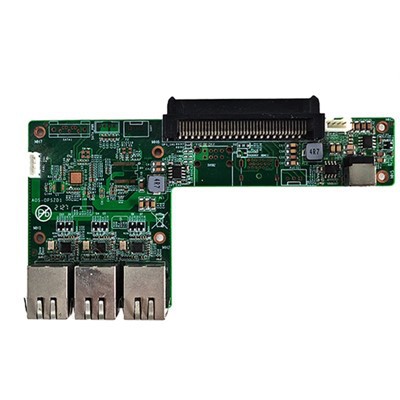
Hey there! I'm a supplier of Atom Z8350 Android Windows OPS Computers, and I get this question a lot: "Can an Atom Z8350 OPS computer run Windows smoothly?" Well, let's dive right into it and break it down.
First off, let's talk a bit about the Atom Z8350 processor. It's an Intel Atom chip that was designed mainly for low - power and compact devices. With a base clock speed of around 1.44 GHz and a burst speed up to 1.92 GHz, it's not exactly a powerhouse compared to some of the high - end processors out there. But hey, it has its own charm, especially when it comes to small - form - factor computers.
When it comes to running Windows on an Atom Z8350 OPS computer, there are a few things to consider. Windows is a pretty resource - hungry operating system. It needs a certain amount of processing power, memory, and storage to run smoothly. The Atom Z8350 has a quad - core setup, which means it can handle multiple tasks at once to some extent. But if you're planning to run a whole bunch of resource - intensive applications simultaneously, you might run into some issues.
Let's start with the basics. For a smooth Windows experience, you need enough RAM. Most modern versions of Windows recommend at least 4GB of RAM. If your Atom Z8350 OPS computer comes with 2GB of RAM, you're going to notice some slowdowns, especially when you have multiple programs open. For example, if you're running a web browser with several tabs open, a media player, and maybe a document editor all at the same time, the system might start to feel sluggish.
Storage is another important factor. If you're using a traditional hard drive (HDD) in your OPS computer, it can be a bottleneck. HDDs are slower compared to solid - state drives (SSDs). When Windows boots up, it has to read a whole bunch of files from the storage device. With an HDD, this process can take a while, and you might experience longer boot times and slower application launches. On the other hand, if you have an SSD in your Atom Z8350 OPS computer, Windows will boot up much faster, and applications will load quicker too.
Now, let's talk about the graphics capabilities of the Atom Z8350. It has integrated graphics, which are fine for basic tasks like watching videos on YouTube or browsing the web. But if you're into gaming or running graphic - intensive applications like photo or video editing software, you're going to be disappointed. The integrated graphics just don't have the power to handle high - resolution graphics and complex visual effects.
However, for everyday tasks like web browsing, word processing, and email, the Atom Z8350 OPS computer running Windows can do a pretty decent job. It's lightweight, energy - efficient, and can fit into small spaces, which makes it a great option for kiosks, digital signage, and other similar applications.
If you're looking for alternatives to the Atom Z8350, you might want to check out the IntelJ1900//J2900 CPU Small Computer 6 USB MINI Computers. These computers also offer a compact form factor and can run Windows, but they might have different performance characteristics.


Another option is the Standard ATX Industrial Large Motherboard 2 DDR4 ATX Motherboards. This kind of motherboard can provide more expandability and potentially better performance if you want to build a more powerful system.
And if you're interested in industrial - grade motherboards with Intel 4 - 5 Generation CPUs, take a look at the Intel 4 - 5 Generation CPU 3.5 - inch Industrial Motherboard. These motherboards can offer a good balance between performance and size.
So, can an Atom Z8350 OPS computer run Windows smoothly? The answer is yes, but with some limitations. If you're using it for basic tasks and you have the right amount of RAM and storage, it can provide a satisfactory Windows experience. But if you're looking for high - end performance, you might want to consider other options.
If you're interested in our Atom Z8350 Android Windows OPS Computers or any of our other products, don't hesitate to reach out for a procurement discussion. We're here to help you find the right solution for your needs.
References:
- Intel official documentation on Atom Z8350 processor
- Microsoft system requirements for Windows operating systems