As a provider of OPS (Open Pluggable Specification) computers for meeting touchable TVs, I often encounter inquiries about various technical specifications, and one of the most frequently asked questions is about the contrast ratio. In this blog, I'll delve into what the contrast ratio means for an OPS computer used in meeting touchable TVs, its significance, and how it impacts the overall meeting experience.
Understanding Contrast Ratio
The contrast ratio is a fundamental concept in display technology. It refers to the ratio between the luminance of the brightest white and the darkest black that a display can produce. For example, a contrast ratio of 1000:1 means that the brightest white is 1000 times brighter than the darkest black. A higher contrast ratio generally indicates better image quality, as it allows for more distinct differences between light and dark areas of an image, resulting in richer colors, deeper blacks, and more vibrant visuals.
In the context of an OPS computer for meeting touchable TVs, the contrast ratio plays a crucial role in enhancing the clarity and readability of presentations, videos, and other visual content. During meetings, participants often need to view detailed graphs, charts, and text, and a high - contrast display ensures that these elements are easily distinguishable, even in different lighting conditions.
Factors Affecting the Contrast Ratio of OPS Computers for Meeting Touchable TVs
Several factors can influence the contrast ratio of an OPS computer when paired with a touchable TV.
Display Technology
The type of display technology used in the touchable TV has a significant impact on the contrast ratio. For instance, OLED (Organic Light - Emitting Diode) displays typically offer extremely high contrast ratios because each pixel can emit its own light and be completely turned off to produce true black. On the other hand, LCD (Liquid Crystal Display) panels, which are more commonly used, rely on a backlight. Traditional LCDs may have lower contrast ratios compared to OLEDs, but technologies like local dimming in some high - end LCDs can improve the contrast by selectively dimming parts of the backlight.
OPS Computer Hardware
The OPS computer itself can also affect the contrast ratio. The graphics processing unit (GPU) in the OPS computer is responsible for rendering images and sending them to the display. A more powerful GPU can handle high - quality image processing and support features that enhance contrast, such as advanced color correction and gamma adjustment. Additionally, the quality of the video output interface (e.g., HDMI, DisplayPort) can influence the transmission of accurate color and contrast information from the OPS computer to the touchable TV.


Environmental Lighting
The lighting conditions in the meeting room can either enhance or degrade the perceived contrast ratio. Bright ambient light can wash out the dark areas of the display, making the contrast appear lower. To mitigate this, it's important to choose a touchable TV with good anti - glare properties and to adjust the lighting in the room appropriately. For example, using blinds or curtains to control sunlight or installing adjustable lighting fixtures can help create an optimal viewing environment.
Benefits of a High Contrast Ratio in Meeting Settings
A high contrast ratio offers several benefits in a meeting environment.
Improved Visibility
With a high contrast ratio, text and images on the touchable TV are much easier to see. This is especially important when presenting complex data or small - sized text. Participants can focus on the content without straining their eyes, leading to better engagement and understanding during the meeting.
Enhanced Color Accuracy
Colors appear more vivid and true - to - life on a display with a high contrast ratio. This is crucial for presentations that rely on color - coded information, such as maps, graphs, and product images. Accurate color representation ensures that the message is conveyed effectively and that there is no misinterpretation of the data.
Immersive Meeting Experience
A high - contrast display can create a more immersive meeting experience, similar to what you would get in a high - end home theater. Whether it's showing a promotional video or a virtual tour, the rich visuals can captivate the audience and make the meeting more memorable.
Our OPS Computer Offerings
At our company, we offer a range of OPS computers that are designed to work seamlessly with meeting touchable TVs. Our I3 6100U/I5 6200U/I7 6500U CPU MINI Computer 4GB DDR4 2133MHz Computer comes with powerful processors that can handle high - resolution graphics and ensure smooth image rendering. These processors are paired with high - quality graphics cards that support advanced color and contrast adjustment features, allowing for optimal visual performance on the touchable TV.
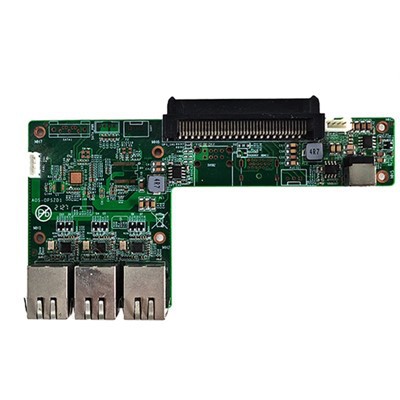
We also provide Intel 4 - 5 Generation CPU 3.5 - inch Industrial Motherboard, which offers stability and reliability. The motherboard is designed to work in conjunction with the OPS standard, ensuring compatibility with a wide range of touchable TVs. Additionally, our OPS Adapter Connector Small Board provides a seamless connection between the OPS computer and the touchable TV, ensuring that the contrast ratio and other visual parameters are accurately transmitted.
Measuring and Evaluating the Contrast Ratio
When evaluating the contrast ratio of an OPS computer for a meeting touchable TV, it's important to look at both the static and dynamic contrast ratios.
The static contrast ratio measures the difference between the brightest white and the darkest black in a static image. This is a good indicator of the basic image - quality capabilities of the display. On the other hand, the dynamic contrast ratio takes into account the display's ability to adjust the backlight in real - time based on the content being shown. A high dynamic contrast ratio can provide even more impressive visuals, especially in scenes with a wide range of brightness levels.
However, it's important to note that some manufacturers may inflate the dynamic contrast ratio numbers. To get a more accurate assessment, it's advisable to look at real - world reviews and user experiences. You can also request a demonstration of the OPS computer and touchable TV combination to see the contrast ratio in action under different lighting conditions.
Conclusion
The contrast ratio of an OPS computer for meeting touchable TVs is a critical factor that can significantly impact the quality of meetings. A high contrast ratio leads to better visibility, enhanced color accuracy, and a more immersive meeting experience. At our company, we are committed to providing high - quality OPS computers that are optimized for use with touchable TVs, ensuring that you get the best possible visual performance.
If you're interested in learning more about our OPS computer products or have any questions about contrast ratio and its impact on your meeting setup, we invite you to reach out to us for a detailed discussion. We're here to help you make an informed decision and find the perfect solution for your meeting needs.
References
- Some basic knowledge about display technology from common display technology textbooks.
- Industry reports on the performance evaluation of OPS computers and touchable TVs.