Hey there! As a supplier of the RK3399PRO Android OPS Computer, I often get asked about its power consumption. So, I thought I'd dive into this topic and share some insights with you all.
First off, let's understand what the RK3399PRO Android OPS Computer is all about. It's a pretty nifty piece of tech that combines the power of the RK3399PRO chipset with the Android operating system. The Open Pluggable Specification (OPS) form factor makes it easy to integrate into various display devices, like digital signage, interactive kiosks, and meeting boards.
Now, onto the main question: what's the power consumption of this computer? Well, the power consumption of the RK3399PRO Android OPS Computer can vary depending on a few factors. Let's break them down.
1. Usage Scenarios
- Idle State: When the computer is just sitting there, doing nothing much, it consumes the least amount of power. In this state, the CPU and other components are mostly in a low-power mode. On average, the power consumption in idle state can be around 5 - 7 watts. This is great if you're using it in a setup where it's always on but not actively processing a lot of data, like a digital menu board that just displays static images.
- Light Usage: If you're using the computer for basic tasks like web browsing, running simple apps, or displaying low-resolution videos, the power consumption will increase a bit. You can expect it to be in the range of 8 - 12 watts. For example, if you're using it as a kiosk to provide information about a store's products, this kind of light usage is common.
- Heavy Usage: When you start pushing the computer to its limits, like running high-definition video playback, 3D games, or complex industrial applications, the power consumption goes up significantly. In heavy usage scenarios, it can reach anywhere from 15 - 20 watts. This is because the CPU and GPU have to work harder to handle the increased workload.
2. Hardware Configuration
- RAM and Storage: The amount of RAM and storage you have in the computer can also affect power consumption. More RAM means more memory cells that need to be powered, and faster storage devices like SSDs can also consume a bit more power compared to traditional HDDs. However, the difference is usually not huge. For example, upgrading from 2GB to 4GB of RAM might increase the power consumption by about 1 - 2 watts.
- External Peripherals: If you connect external devices like USB drives, cameras, or wireless adapters, they will add to the overall power consumption. Each peripheral has its own power requirements, and these can vary widely. A simple USB flash drive might only consume a fraction of a watt, while a high-resolution webcam could add 2 - 3 watts to the total power draw.
3. Environmental Factors
- Temperature: The temperature of the environment where the computer is operating can have an impact on power consumption. In a hot environment, the computer's cooling system has to work harder to keep the components at a safe temperature. This can increase the power consumption by a few watts. On the other hand, in a cold environment, the components might operate more efficiently, resulting in slightly lower power consumption.
Now, let's talk about why power consumption matters. In today's world, energy efficiency is a big deal. Lower power consumption means lower electricity bills, which is great for businesses looking to cut costs. It also has environmental benefits, as it reduces the overall carbon footprint. Additionally, lower power consumption often means less heat generation, which can extend the lifespan of the computer's components.
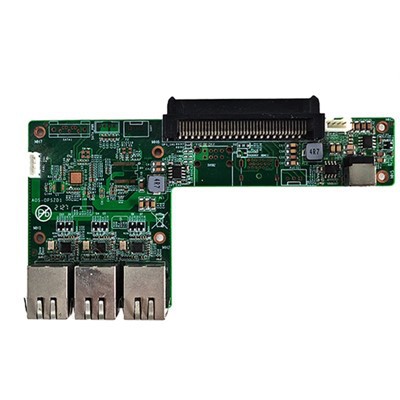
If you're interested in exploring more about our RK3399PRO Android OPS Computer and its related products, we have some great options available. Check out our OPS Adapter Connector Small Board, which is a useful accessory for integrating the OPS computer into different setups. We also have the UHD OPS Computer for Meeting Board, which is perfect for modern meeting rooms. And if you're into industrial applications, our ARM Chip Industrial Iot Gateway Internet Of Things Gateway Computer Embedded Computer is a great choice.


If you're thinking about purchasing our RK3399PRO Android OPS Computer or any of our other products, we'd love to have a chat with you. Whether you have questions about power consumption, compatibility, or pricing, our team is here to help. Just reach out to us, and we can start the procurement discussion.
In conclusion, the power consumption of the RK3399PRO Android OPS Computer is influenced by various factors, but overall, it offers a good balance between performance and energy efficiency. It's a versatile computer that can be used in a wide range of applications, from consumer to industrial.
References
- General knowledge about RK3399PRO chipset and Android OPS computers
- Internal testing and data analysis of our RK3399PRO Android OPS Computer products