In the ever - evolving landscape of music production, the choice of computer hardware is a critical decision that can significantly impact the creative process and the quality of the final output. As a supplier of I3 OPS (Open Pluggable Specification) computers, I often encounter inquiries about whether an I3 OPS computer can be used for music production. In this blog post, I will explore the capabilities of I3 OPS computers in the context of music production, weighing the pros and cons to help you make an informed decision.
Understanding I3 OPS Computers
Before delving into their suitability for music production, let's first understand what I3 OPS computers are. The OPS standard is a form factor that allows for easy integration of a computer into various displays, such as touch - screen monitors and digital signage. I3 processors, on the other hand, are part of Intel's Core series, designed to offer a balance between performance and affordability.
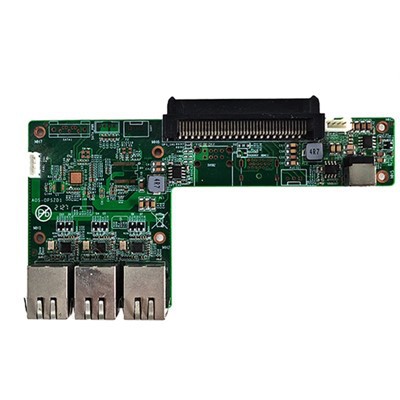
I3 OPS computers typically come with an Intel Core i3 processor, a certain amount of RAM (usually 4GB - 8GB), and integrated graphics. They are compact, energy - efficient, and can be easily installed in compatible displays, making them a popular choice for a variety of applications, including digital signage, meeting rooms, and educational settings. For more information on OPS computers suitable for different scenarios, you can check out OPS Computer for Meeting Touchable TV, HM86 Discrete Graphics Electronic Whiteboard OPS Computer, and SOH310B Whiskylake Touch Display OPS - C Computer.


Pros of Using an I3 OPS Computer for Music Production
Affordability
One of the most significant advantages of using an I3 OPS computer for music production is its cost - effectiveness. Compared to high - end workstations or dedicated music production computers, I3 OPS computers are relatively inexpensive. This makes them an attractive option for beginners or hobbyists who are on a tight budget and want to dip their toes into music production without breaking the bank.
Compact Size
The compact form factor of I3 OPS computers is another plus. They take up minimal space, which is ideal for home studios or small workspaces. You can easily integrate them into a touch - screen display, creating a sleek and streamlined setup. This is especially useful if you want to have a more ergonomic and clutter - free workspace.
Energy Efficiency
I3 OPS computers are known for their low power consumption. This not only helps in reducing electricity bills but also makes them more environmentally friendly. For long - hours of music production, an energy - efficient computer can be a great asset, as it can run continuously without generating excessive heat or consuming a large amount of power.
Ease of Installation
Installing an I3 OPS computer is a breeze. Since they are designed to be plugged into compatible displays, you don't need to deal with complex wiring or hardware installations. This means you can set up your music production environment quickly and start creating music right away.
Cons of Using an I3 OPS Computer for Music Production
Limited Processing Power
The biggest drawback of using an I3 OPS computer for music production is its limited processing power. Music production involves running multiple software applications simultaneously, such as digital audio workstations (DAWs), virtual instruments, and effects plugins. These applications can be resource - intensive, and an I3 processor may struggle to handle complex projects with a large number of tracks, effects, and virtual instruments.
Insufficient RAM
Most I3 OPS computers come with 4GB - 8GB of RAM, which may not be enough for music production. When working with high - quality audio files, virtual instruments, and multiple plugins, the computer needs a significant amount of RAM to run smoothly. Insufficient RAM can lead to slow performance, audio glitches, and even crashes.
Integrated Graphics Limitations
I3 OPS computers typically have integrated graphics, which are not designed for graphics - intensive tasks. While music production is not primarily a graphics - heavy activity, some DAWs and plugins may have graphical interfaces that require a certain level of graphics performance. Integrated graphics may not be able to provide a smooth and responsive user experience, especially when using high - resolution displays or complex visualizations.
Factors to Consider When Using an I3 OPS Computer for Music Production
Type of Music Production
The type of music production you plan to do plays a crucial role in determining whether an I3 OPS computer is suitable for you. If you are mainly producing simple, acoustic - based music with a few tracks and minimal effects, an I3 OPS computer may be sufficient. However, if you are into electronic music production, where you need to use a large number of virtual instruments, effects plugins, and complex arrangements, you may find the limited processing power of an I3 OPS computer to be a bottleneck.
Software Requirements
Different DAWs and plugins have different system requirements. Before choosing an I3 OPS computer for music production, make sure to check the minimum and recommended system requirements of the software you plan to use. Some professional - grade DAWs may require a more powerful processor, more RAM, and dedicated graphics to run smoothly.
Future Expansion
Consider your future plans for music production. If you expect to grow and expand your music production capabilities over time, you may want to invest in a more powerful computer from the start. While an I3 OPS computer can be a good starting point, it may not be able to keep up with your increasing needs as you become more advanced in your music production skills.
Tips for Using an I3 OPS Computer for Music Production
Optimize Your Software
To get the most out of your I3 OPS computer, optimize your DAW and other software applications. Close any unnecessary background processes, disable unnecessary plugins, and adjust the buffer settings in your DAW to reduce the strain on the computer's resources.
Use Lightweight Plugins
Choose lightweight virtual instruments and effects plugins that are designed to run on low - end systems. There are many free and affordable plugins available that can provide high - quality sound without consuming too much processing power.
Upgrade Your RAM
If possible, upgrade the RAM in your I3 OPS computer to at least 8GB or more. This can significantly improve the performance of your computer when running multiple applications simultaneously.
Conclusion
In conclusion, an I3 OPS computer can be used for music production, but it has its limitations. It is a cost - effective, compact, and energy - efficient option that is suitable for beginners or hobbyists who are on a budget and want to start creating simple music. However, if you are a professional musician or plan to take on more complex music production projects, you may need to consider a more powerful computer with better processing power, more RAM, and dedicated graphics.
If you are interested in purchasing an I3 OPS computer for music production or have any questions about our products, please feel free to contact us for a procurement negotiation. We are committed to providing you with the best solutions for your music production needs.
References
- Intel Corporation. (2023). Intel Core i3 Processors. Retrieved from [Intel's official website].
- Various digital audio workstation (DAW) software documentation and system requirements.