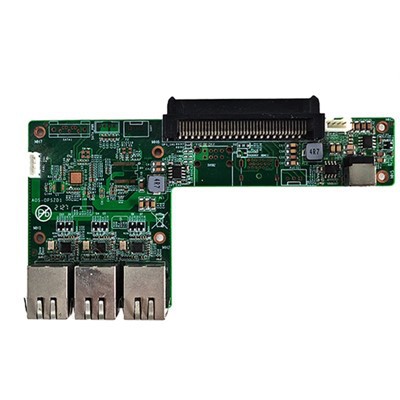
As a supplier of I3 OPS Computers, I often get asked a ton of questions about the capabilities and compatibility of our products. One question that comes up quite a bit is, "Can the I3 OPS Computer be connected to a wireless printer?" Well, let's dig into this topic and break it down.
Understanding the I3 OPS Computer
First off, let me give you a quick rundown on the I3 OPS Computer. It's a compact yet powerful piece of tech that's designed to fit into OPS (Open Pluggable Specification) slots, commonly found in digital signage and interactive displays. The I3 processor in these computers offers decent performance for many day - to - day tasks, making it a popular choice for various business and home setups.
Intel 4 - 5 Generation CPU 3.5 - inch Industrial Motherboard is an example of a related product in our lineup that shares some characteristics with the I3 OPS Computer. It's built with industrial - grade components and is suitable for a wide range of applications where reliability and performance are key.


The Basics of Wireless Printer Connectivity
Before we figure out if the I3 OPS Computer can connect to a wireless printer, let's understand how wireless printer connectivity works in general. Wireless printers use Wi - Fi technology to communicate with devices on the same local network. This means that for a device to connect to a wireless printer, it needs to be connected to the same Wi - Fi network.
Most modern operating systems support wireless printer connectivity. Windows, macOS, and Linux all have built - in features that allow users to search for and connect to nearby wireless printers. As long as the printer driver is installed, the device can send print jobs to the printer over the network.
Connecting the I3 OPS Computer to a Wireless Printer
Now, back to our main question. Can the I3 OPS Computer be connected to a wireless printer? The short answer is yes, in most cases.
If the I3 OPS Computer has built - in Wi - Fi capabilities, the process is relatively straightforward. Here's a step - by - step guide on how to do it:
- Check Wi - Fi Connection: Make sure that your I3 OPS Computer is connected to the same Wi - Fi network as the wireless printer. You can do this by going to the network settings on your computer and selecting the appropriate Wi - Fi network.
- Install Printer Driver: Visit the manufacturer's website of your wireless printer and download the latest driver for your operating system. Once downloaded, run the installation wizard and follow the on - screen instructions.
- Add the Printer: On your I3 OPS Computer, go to the printer settings. In Windows, you can usually find this in the Control Panel under "Devices and Printers". Click on "Add a printer" and the system will search for available wireless printers on the network. Select your printer from the list and follow the prompts to complete the setup.
If your I3 OPS Computer doesn't have built - in Wi - Fi, you can still connect to a wireless printer by using a USB Wi - Fi adapter. There are many affordable Wi - Fi adapters available in the market that are compatible with various operating systems. Simply plug the adapter into one of the USB ports on your computer, install the necessary drivers, and then follow the same steps as above to connect to the wireless printer.
Compatibility Considerations
While it's generally possible to connect an I3 OPS Computer to a wireless printer, there are a few compatibility issues you might run into.
- Operating System Compatibility: Make sure that the operating system on your I3 OPS Computer is compatible with the printer driver. Some older printers may not have drivers for the latest operating systems, so you may need to do some research or contact the printer manufacturer for support.
- Network Security: Some wireless networks have strict security settings that may prevent your I3 OPS Computer from connecting to the wireless printer. You may need to configure the network settings or contact your network administrator to resolve these issues.
Other Products in Our Lineup
In addition to the I3 OPS Computer, we also offer other great products like the IntelJ1900//J2900 CPU Small Computer 6 USB MINI Computers and the Ops I5 Pc Module. These devices also have different levels of connectivity and performance capabilities. The IntelJ1900//J2900 CPU Small Computers are compact and energy - efficient, making them ideal for space - constrained environments. The Ops I5 Pc Module, on the other hand, offers more processing power and is suitable for tasks that require higher performance.
Conclusion
So, to sum it up, the I3 OPS Computer can definitely be connected to a wireless printer in most situations. Whether it has built - in Wi - Fi or you're using a USB Wi - Fi adapter, the process is not too complicated as long as you follow the proper steps and take into account the compatibility considerations.
If you're interested in purchasing an I3 OPS Computer or any of our other products, feel free to reach out to us for more details and to start a procurement discussion. We're here to answer all your questions and help you find the best solution for your needs.
References
- General knowledge about Wi - Fi technology and computer - printer connectivity.
- Information about the features and capabilities of I3 OPS Computers and related products in our lineup.