As a supplier of RK3399PRO Android OPS computers, I often get asked if these nifty little devices can handle running emulators. Well, let's dive right into it and see what they're capable of.
First off, for those who might not know, an OPS (Open Pluggable Specification) computer is a standardized, compact, and hot - swappable computer module. The RK3399PRO is a particularly interesting one, with its powerful ARM - based processor and a well - developed Android system environment.
When we talk about running emulators, the main concerns usually revolve around the hardware's processing power, graphics capabilities, and memory. The RK3399PRO comes with a hexa - core processor, which consists of two high - performance Cortex - A72 cores and four Cortex - A53 cores. This combination allows it to handle multi - tasking quite well. The high - end A72 cores can take on the more intensive workloads, while the A53 cores can manage the lighter tasks, ensuring efficient use of power and resources.
In terms of graphics, the RK3399PRO has a Mali - T860 MP4 GPU. This graphics processing unit is no slouch. It can handle 2D and basic 3D graphics with relative ease. For many emulators, especially those for classic consoles like the Nintendo Entertainment System (NES), Super Nintendo Entertainment System (SNES), and Sega Genesis, the graphics capabilities of the RK3399PRO are more than sufficient. These older consoles had relatively simple graphics requirements, and the Mali - T860 MP4 can easily reproduce the pixel - art style graphics and smooth animations.
Memory is also an important factor. The RK3399PRO Android OPS computer usually comes with a decent amount of RAM, often 2GB or 4GB. This is enough to run multiple emulators simultaneously, especially if you're not running resource - intensive ones. For example, you could have a NES emulator running in one window and a Game Boy emulator in another without experiencing significant slowdowns.
However, it's not all sunshine and rainbows. When it comes to more modern emulators, like those for PlayStation 2 or Xbox, the RK3399PRO might struggle. These consoles had much more advanced graphics and processing requirements, and the emulator software needs a lot of power to accurately recreate the console's environment. The Mali - T860 MP4 might not be able to handle the high - resolution textures, complex 3D models, and real - time lighting effects that these modern emulators demand. Also, the ARM - based architecture of the RK3399PRO is different from the x86 architecture used by most of these consoles. While there are emulators that try to bridge this gap, the performance can still be less than ideal.
Now, let's talk about some of the factors that can affect the emulator performance on the RK3399PRO Android OPS computer. The first is the software version of Android. A well - optimized and up - to - date version of Android can have a significant impact on performance. Newer versions often come with better driver support for the hardware, and they can improve the overall stability and speed of the system.
Another factor is the emulator software itself. Some emulator developers are better at optimizing their software for ARM - based devices than others. So, it's a good idea to do some research and find the emulators that are known to work well on the RK3399PRO. Reading user reviews and forums can be extremely helpful in this regard.
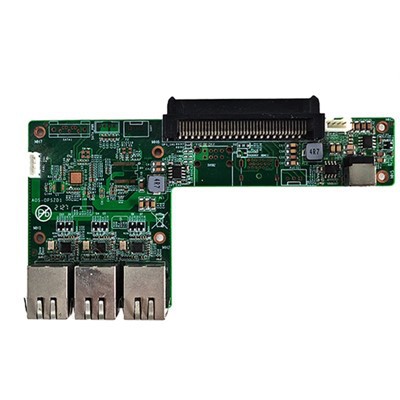
You might also want to consider using an OPS computer backplane adapter board. This can enhance the connectivity options of your RK3399PRO Android OPS computer, allowing you to connect external controllers, displays, and other peripherals more easily. This is especially useful when you're using emulators, as you might want to use classic controllers to get the full retro gaming experience.
If you're looking for more power, we also offer products like the Intel 12th Generation OPS PC. This OPS PC is based on Intel's powerful 12th - generation processors, which are much better suited for running modern emulators. With its x86 architecture and high - performance graphics capabilities, it can handle even the most demanding emulation tasks.
For those who need even more oomph, we have the Independent Graphics Card High Computing Computer High Performance Gaming Computer High Performance Office Computer. This device comes with an independent graphics card, which provides a significant boost in graphics performance. It's perfect for gamers and those who want to run high - end emulators with stunning graphics.
In conclusion, the RK3399PRO Android OPS computer can definitely be used for running emulators, especially for classic console emulation. It has a good balance of processing power, graphics capabilities, and memory for these types of tasks. However, if you're looking to run more modern and resource - intensive emulators, you might want to consider upgrading to a more powerful OPS computer.


If you're interested in purchasing an RK3399PRO Android OPS computer or any of our other products, don't hesitate to reach out to us for a procurement discussion. We're always happy to help you find the right solution for your needs.
References
- General knowledge about RK3399PRO hardware specifications
- User experiences and reviews from various emulator - related forums