Hey there! As a supplier of I3 OPS computers, I often get asked the question: "Does an I3 OPS computer have good graphics performance?" Well, let's dive right into it and find out.
First off, let's understand what an I3 OPS computer is. The OPS, or Open Pluggable Specification, is a standardized format for a small form - factor computer module that can be easily plugged into compatible monitors or displays. An I3 OPS computer comes equipped with an Intel Core i3 processor, which is a well - known player in the computer world.
When it comes to graphics performance, the answer isn't a simple yes or no. It depends on several factors. The Intel Core i3 processors generally come with integrated graphics, like the Intel UHD Graphics series. These integrated graphics are designed to handle day - to - day tasks smoothly. For instance, if you're using your I3 OPS computer for basic office work such as creating documents, spreadsheets, and presentations in software like Microsoft Office or Google Workspace, the graphics performance will be more than sufficient. You won't notice any lag or slowdown while scrolling through long documents or playing simple animations in a PPT.
If you're into web browsing, the integrated graphics can handle multiple tabs open at the same time. You can stream videos on platforms like YouTube at standard definition without any issues. Even for light - gaming, simple 2D games like Angry Birds or some browser - based games work just fine. The frame rates are decent enough to provide an enjoyable experience.
However, when we start talking about more graphically intensive tasks, the limitations of the integrated graphics in an I3 OPS computer become apparent. For example, if you're a gamer who wants to play the latest AAA titles like "Call of Duty" or "Grand Theft Auto V," the I3 OPS computer with integrated graphics won't cut it. These games require high - end graphics cards with dedicated video memory to render the complex 3D environments, characters, and special effects. You'll experience low frame rates, pixelation, and overall choppy gameplay.
Similarly, if you're involved in graphic design, video editing, or 3D modeling, the integrated graphics may not meet your requirements. In graphic design, you need to be able to accurately view color palettes, gradients, and high - resolution images. When editing videos, especially in high - definition or 4K, a powerful graphics card is essential to speed up the rendering process and ensure smooth playback. And for 3D modeling, you need real - time rendering capabilities to manipulate complex 3D objects, which the integrated graphics in an I3 OPS computer can't handle efficiently.
But hang on! There are ways to potentially improve the graphics performance of an I3 OPS computer. One option is to connect an external graphics card. However, this isn't always straightforward with an OPS computer due to its small form factor and limited expansion options. Another thing to consider is the display you're using. If you're using a high - resolution display like a 4K monitor, the integrated graphics may struggle to drive it at full capacity. You might experience lower frame rates and less sharp visuals compared to using a lower - resolution display.
Now, let me tell you about some of our related products. If you're looking for a more powerful option, we have the 2K Intelligence Whiteboard OPS Computer. This computer is designed for meeting boards and offers better graphics performance suitable for presentations and interactive whiteboard applications. It can handle high - resolution images and videos with ease, making your meetings more engaging.
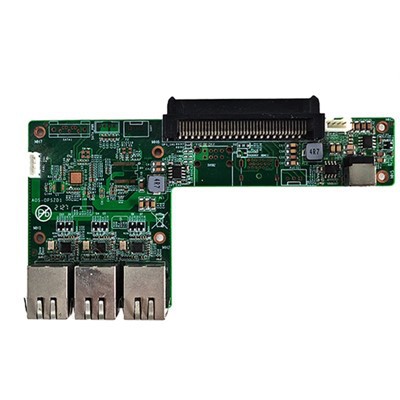
We also have the OPS Transfer Board High Performance OPS Adapter Board. This adapter board can enhance the overall functionality of your OPS computer. While it may not directly boost the graphics performance, it can improve the connectivity and compatibility of other components that could indirectly affect how well your computer handles graphics.
And for those who need even higher - end performance for meeting boards, our UHD OPS Computer for Meeting Board is the way to go. It's capable of handling Ultra - High - Definition content, providing crystal - clear visuals for professional presentations.


In conclusion, an I3 OPS computer can have decent graphics performance for basic tasks, but it falls short when it comes to more demanding applications. Whether it's "good" or not really depends on your specific needs. If you're just doing light work, then it'll serve you well. But if you're looking for high - end graphics performance, you might want to consider our other products.
If you're interested in learning more about our I3 OPS computers or any of our other offerings, feel free to reach out for a procurement discussion. We're here to help you find the best solution for your needs!
References:
- Intel official documentation on Core i3 processors and integrated graphics
- Graphics performance benchmarks from independent testing organizations