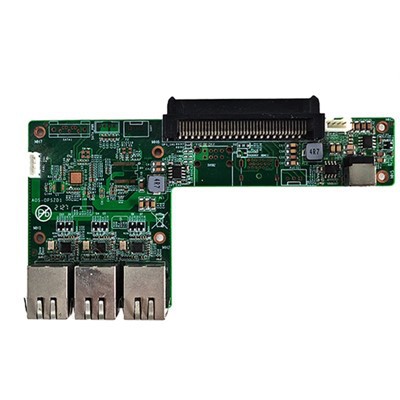
Hey there! As an OPS computer supplier, I often get questions about the energy consumption of these nifty little devices. So, I thought I'd take a deep dive into this topic and give you the lowdown on what you can expect when it comes to how much juice OPS computers use.
First things first, let's talk about what OPS computers are. For those who aren't in the know, OPS stands for Open Pluggable Specification. These are small, modular computers that can be easily inserted into a compatible display unit. They're super versatile and are used in a wide range of applications, from digital signage and kiosks to educational and industrial settings.
Now, the energy consumption of an OPS computer can vary quite a bit depending on a few key factors. One of the biggest factors is the components inside the computer. Just like with any computer, the CPU (Central Processing Unit) is a major power consumer. A more powerful CPU will generally use more energy than a less powerful one.
For example, take a look at our IntelJ1900//J2900 CPU Small Computer 6 USB MINI Computers. These models are equipped with the Intel J1900 or J2900 CPUs. These CPUs are designed to be energy - efficient, making them a great choice for applications where power consumption is a concern. They operate at relatively low frequencies, which helps to keep the energy usage down. On average, an OPS computer with one of these CPUs can consume around 10 - 20 watts when it's running under normal operating conditions. This is quite a bit less compared to some of the high - end desktop CPUs that can consume upwards of 100 watts or more.
Another important factor that affects energy consumption is the GPU (Graphics Processing Unit). In some OPS computers, especially those used for applications that require high - end graphics like gaming kiosks or digital art displays, a dedicated GPU might be installed. A dedicated GPU can consume a significant amount of power. However, many OPS computers these days use integrated graphics, which are built into the CPU. Integrated graphics are generally more energy - efficient because they share system memory and don't have a separate power - hungry graphics card.
Let's talk about the memory as well. The amount and type of memory in an OPS computer can also impact energy consumption. Generally, more memory will use more power. But modern DDR4 memory is more energy - efficient than its predecessors. For most OPS computers, having 4GB or 8GB of DDR4 memory is a good balance between performance and power usage.
Then there are the storage devices. Solid - State Drives (SSDs) are a popular choice for OPS computers because they're not only faster than traditional Hard Disk Drives (HDDs) but also consume less energy. An SSD can use as little as 1 - 2 watts, while an HDD might use 5 - 10 watts, depending on its size and rotational speed.
Now, let's take a look at some of our other products. Our RK3399A Touch Panel Android Motherboard is a great example of an energy - efficient design. This motherboard is based on the RK3399A chipset, which is optimized for low - power operation. When used in an OPS computer, it can consume around 8 - 15 watts, making it ideal for applications where long - term, continuous operation is required without breaking the power bill.
Our SOH310B Whiskylake Touch Display OPS - C Computer offers a different level of performance and power consumption. The Whiskylake architecture provides good processing power while still being relatively energy - conscious. Under normal usage, it might consume around 15 - 25 watts. This computer is well - suited for medium - to high - performance applications such as interactive touch displays in retail stores or corporate offices.


But how do these power consumption levels compare to other types of computers? Well, traditional desktop computers can consume anywhere from 100 to 500 watts, depending on their configuration. Laptops usually consume less, typically in the range of 20 - 100 watts. OPS computers fall somewhere in between laptops and full - fledged desktops in terms of power usage, but they offer the advantage of being small and easily integrated into displays.
What about when OPS computers are in idle mode? When the computer isn't actively processing a lot of data, its power consumption drops significantly. For example, the OPS computers with Intel J1900//J2900 CPUs might consume as little as 2 - 5 watts when idle. This is great for applications where the computer is on all the time but doesn't need to be working at full capacity constantly.
In terms of cost savings, the lower energy consumption of OPS computers can really add up over time. If you're running a digital signage network with multiple OPS computers, the difference in power consumption between these and traditional desktops can result in substantial savings on your electricity bill.
So, if you're in the market for an OPS computer, it's important to consider the energy consumption based on your specific needs. If you're looking for a low - power option for a simple digital signage display, a model like the one with the Intel J1900 or J2900 CPU would be a great choice. If you need more performance for an interactive touch - based application, the SOH310B Whiskylake Touch Display OPS - C Computer might be more up your alley.
If you're interested in learning more about our OPS computers or have any questions regarding energy consumption, power requirements, or which model would be best for your application, don't hesitate to reach out. We're here to help you make the right choice and get the most out of your OPS computer purchase. Whether you're a small business owner looking to set up a digital menu board or a large corporation deploying a network of interactive kiosks, we've got the products and expertise to meet your needs. Let's start a conversation and see how we can work together to find the perfect OPS computer solution for you.
References
- General knowledge on computer hardware components and power consumption
- Manufacturer specifications for Intel J1900, J2900 CPUs, RK3399A chipset, and Whiskylake architecture